


How Modern Video Conferencing Solutions Power Smarter Hybrid Work in Malaysia
Each morning, workers across Malaysia grab laptops, join calls, and dive into tasks—some at home, others at the office. Work looks different now. People connect across screens instead of sitting around the same table.
Thanks to reliable video conferencing, teams still brainstorm, share updates, and make fast choices. These tools now carry the weight of how people meet, plan, and grow together. As hybrid work spreads, strong systems help teams stay focused and ready.
Because work has shifted, the tools we use must also shift. Offices that once relied on in-person chats now rely on digital bridges to keep teams connected, steady, and productive.
What Video Conferencing Means Today?
Not long ago, video calls only stepped in when face-to-face talks failed. Now, they shape how work gets done. In every corner of the office or living room, calls spark daily progress.
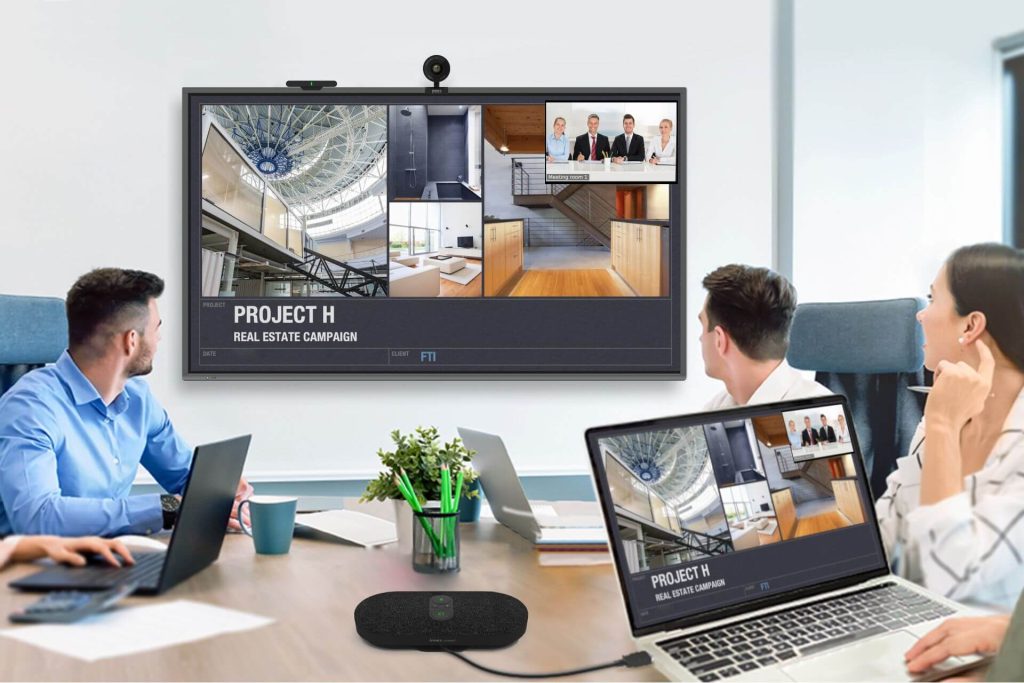
A modern video conferencing solution allows people to speak clearly, share screens, and read body language all without delay. These tools bring teams closer and remove walls between ideas.
Besides that, they bring rhythm to the day. When calls run smoothly, people switch gears quickly and handle tasks without confusion. As a result, hybrid work doesn’t feel scattered—it feels like one team working in different places.
With sharp audio and smooth video, workers hear every word and catch every reaction. This matters in meetings, planning calls, or even quick team chats. Because of this, everyone stays in tune, no matter their location.
Core Components of a Modern Video Conferencing Solution
To keep meetings smooth, video systems rely on several strong parts. When those parts click together, teams work faster and smarter.
Here are the three must-haves:
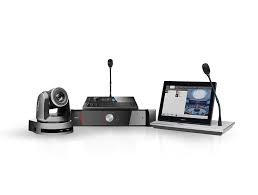
- Audio and visual gear – This includes mics, speakers, and cameras that pick up voices and faces clearly.
- Software that supports sharing – Good platforms let users chat, present slides, and join from anywhere.
- Solid connections and tech support – Systems must connect to other tools like calendars, laptops, or tablets.
A full video conferencing solution ties all these tools into one simple setup. That way, teams jump into meetings with no fuss or delay.
Additionally, smooth systems allow users to toggle between features like screen sharing, file uploads, and video controls without disrupting the flow. These small touches turn clunky meetings into clean, smooth sessions.
Benefits of a High-Quality Video Conferencing System
Reliable video tools do more than just connect people. They shape how a team feels, how it works, and how fast it moves.
Here’s what teams gain:
- Clearer talks – People follow conversations without guessing or repeating.
- Faster actions – Ideas become plans quickly when teams speak directly.
- Less travel – Staff hold client or team meetings without leaving their desks.
Plus, staff enjoy more freedom. They can join from their car, kitchen, or office and still feel seen and heard. When systems work well, stress drops, and focus climbs.
Not only that, but good systems make teams feel more equal. Whether someone’s at HQ or working remotely, their voice still counts. This balance keeps morale high and ideas flowing from every corner.
Types of Video Conferencing Solutions
Not all systems fit every office. Some teams need quick setups. Others need full-room systems. Choosing the right one depends on team size and work style.
Here are common options:
- Cloud-based platforms – These work over the internet and support easy logins from anywhere.
- On-site systems – Larger firms sometimes install private tools for more control.
- Room-based solutions – These include full setups with built-in cameras, speakers, and screens.
Many offices blend these options to match in-office and remote needs. The right mix helps everyone connect, no matter where they work.
Each solution offers its own pace. Some offer flexibility and speed. Others offer power and precision. Smart offices choose based on what helps their team move with purpose.
How to Choose the Right Video Conferencing Solution?
To pick the best system, companies first study how their teams work. Each setup should match the group’s size, habits, and tech needs.
Start by asking:
- How often do teams meet on video?
- Where do team members usually join from?
- What tools do we already use?
The best solutions support clear audio, quick screen sharing, and smooth device access. They also link with calendars and file tools. Companies should also look at tech support, updates, and how easy it is to teach staff.
Importantly, a system should never slow users down. If people need extra training just to start a call, it likely isn’t the right fit. Great systems feel like second nature—simple, useful, and fast.
Why Malaysian Companies Are Upgrading Now?
Work in Malaysia keeps shifting. As more teams balance home and office days, they need strong systems to stay on track.
Here’s why firms upgrade now:
- Flexible workers – People expect smooth calls from anywhere.
- Online clients – Customers now prefer video over in-person chats.
- Need for speed – Teams move faster with better tools and fewer delays.
Also, smoother systems lift morale. Meetings feel shorter and more useful. Teams leave each call ready to act, not drained from tech struggles.
Beyond that, clear tools help companies look sharp and prepared during client talks. They show clients that the team stays ready, even from afar.
Installation, Integration, and Support Considerations
Setting up a good system involves more than plugging in gear. Companies need to plan, test, and teach.
Here’s how most roll it out:
- Map the meeting space and place cameras where they work best
- Pick tools that fit existing devices and calendars
- Train workers so they feel confident running calls
Smart video conferencing tools don’t stand alone—they link to other systems. That’s why it helps to connect them early and solve small problems fast.
Below is a table to compare types of solutions based on company size and goals:
| Team Size | Best System Type | Key Focus |
|---|---|---|
| Small Teams | Cloud-based platforms | Speed and ease |
| Big Companies | Integrated systems | Full control |
| Hybrid Offices | Mixed tools | Balance and access |
Also, keep support nearby. Whether from your own IT team or a trusted partner, fast help prevents delays and keeps everything running smoothly.
Why Partner with Votigo Systems?
Some firms prefer outside help to speed up setup. A trusted tech partner like Votigo Systems helps teams skip errors and gain stronger results.
Here’s how partners assist:
- Plan smart setups – They check what your team really needs.
- Place and link tools – They handle hardware and make sure it works.
- Teach and guide staff – They explain features and solve issues fast.
Good partners adjust the plan as your office grows. That means your system keeps running well as the team’s needs change.
With a partner, companies feel more secure. They don’t just get tools—they get a full system that works, lasts, and grows with them.
Conclusion
Hybrid work now shapes how teams in Malaysia move forward. But teams only thrive when their tools keep up. That’s why video systems matter so much.
When teams use smooth video conferencing, they speak clearly, share faster, and stay on task. A smart video conferencing solution ties tools together and cuts delays. It lets people meet without stress—wherever they are.
In the end, strong meetings bring strong results. Good systems help teams focus, connect, and grow. Offices that invest now build smarter teams for tomorrow.
And when those tools click into place, every meeting becomes a moment to build, solve, and move forward—together.