


Why Poor Meeting Technology Damages Workplace Productivity Today
Meetings help people share ideas, solve problems, and make plans. However, poor sound and blurry video can spoil a meeting quickly. When people cannot hear words clearly or see a screen well, they lose focus and miss important details. Teams need to repeat information, stretch discussions, and slow decisions. As hybrid work grows, businesses depend on effective communication tools more than ever.
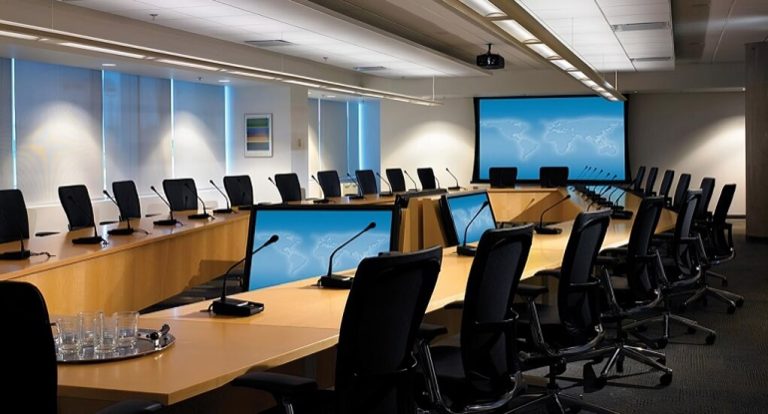
Strong conference room AV Systems help teams connect, share ideas, and work together with ease. Therefore, businesses that ignore audio and video quality often face hidden costs. These costs can slow work, weaken teamwork, lower employee happiness, and hold back business growth.
The Hidden Cost of Ineffective Meetings
Organisations fail to detect the actual expenses, which result from their ineffective meeting sessions. A meeting appears well-organised during its start, but weak audio and video quality create problems that show up later. The crackling audio and video freezes cause people to lose track of vital information, which affects their understanding of what they should learn. Teams need to meet again because they must explain information which should have been clear during the initial presentation. Staff members spend additional hours fixing errors, verifying modifications, and dealing with repeated customer enquiries.
Remote employees experience social isolation because their work technology experiences repeated breakdowns. The time lost and the ability to focus are disrupted as their progress slows down due to these issues. The business faces escalating problems because multiple small issues start to combine into more substantial challenges.
Why Hybrid Work Has Changed Meeting Room Requirements
People can access meetings through hybrid work, which enables them to connect from various locations. Some employees sit in the office, while others join from home or another location. The updated requirements now require meeting rooms to serve multiple functions, which they did not need support for before.
Businesses now need rooms that deliver clear sound, bright visuals, and simple controls. Employees expect meetings to start without delays. They also want tools that help them share screens, present ideas, and join discussions with ease. A well-planned meeting room helps every person take part in the conversation. As a result, teams connect better and work together more smoothly.
The 5 Biggest Meeting Room Technology Challenges
Meeting room technology should help conversations flow. But many organisations still face problems that interrupt meetings and frustrate employees.
1. Poor Audio Coverage
Weak microphones and poorly placed speakers scatter sound across the room. Voices fade, echoes bounce around, and people ask speakers to repeat themselves. These distractions break focus and slow every discussion.
2. Low Video Quality
Blurry video hides facial expressions and makes reactions difficult to read. When cameras fail to capture everyone clearly, remote participants drift away from the conversation and struggle to stay engaged.
3. Complex Controls
Many meeting rooms contain confusing controls. Employees waste valuable time pressing buttons, changing settings, and solving technical difficulties. Instead of discussing ideas, they battle with equipment.
4. Platform Compatibility Issues
Businesses often use different communication platforms. When meeting room technology clashes with those tools, meetings start late, and interruptions pull attention away from important discussions.
5. Poor Room Design Integration
The room requires technology, which should function as a natural element in the space while helping people connect. The wrong positioning of equipment creates visual obstructions which block sight lines, while it degrades audio quality and prevents security cameras from reaching their maximum operational area.
What Modern Employees Expect from Meeting Spaces
Employees want meeting rooms that support their work and remove barriers. They value spaces that help conversations move smoothly and allow everyone to contribute.
Simple User Experience
Employees want technology that starts meetings quickly and removes extra steps.
Clear Communication
People expect strong sound and clear visuals that help everyone hear and see without effort.
Flexible Collaboration
Teams need tools that support presentations, idea sharing, and group discussions.
Equal Participation
Remote and office-based attendees want the same chance to join conversations and share ideas.
When meeting spaces meet these expectations, employees spend more time creating value and less time solving technology problems.
The Role of Meeting Room Cameras in Hybrid Collaboration
A reliable meeting room camera helps bring remote and office employees together. It captures clear images, follows conversations, and keeps everyone connected during meetings. Modern cameras track speakers, frame participants, and keep faces visible throughout discussions. As a result, remote attendees feel more involved and engaged. Team members can spot reactions, understand emotions, and respond with confidence. Good visual communication strengthens teamwork and helps organisations build strong relationships across different locations. This creates a welcoming meeting experience and helps every participant stay connected from start to finish.
Signs Your Organisation Has Outgrown Its Current Meeting Room Setup
As businesses grow, communication needs often change. Older systems may struggle to support larger teams and modern ways of working.
1. Meetings Start Late
Employees spend too much time connecting devices, changing settings, and solving technical difficulties before meetings begin. Frequent delays often signal that current technology no longer supports efficient communication.
2. Remote Participants Struggle to Engage
Remote attendees lose their ability to participate in discussions because they face difficulties hearing conversations and viewing all participants who attend in person. The system displays signs of ageing because users encounter problems when they attempt to use the current meeting room technology.
3. Frequent Technical Complaints
Users continue to report the same issues about poor audio quality, frozen computer screens, and unstable network connections. Teams experience frustration because of these problems, which also decreases their trust in the meeting platform.
4. Business Growth Creates New Demands
Teams need to upgrade their collaboration tools when their group size increases, and they must enhance their communication capabilities. The older systems face difficulties when they need to handle these expanding system specifications.
How Conference Room AV Systems Transform Workplace Collaboration
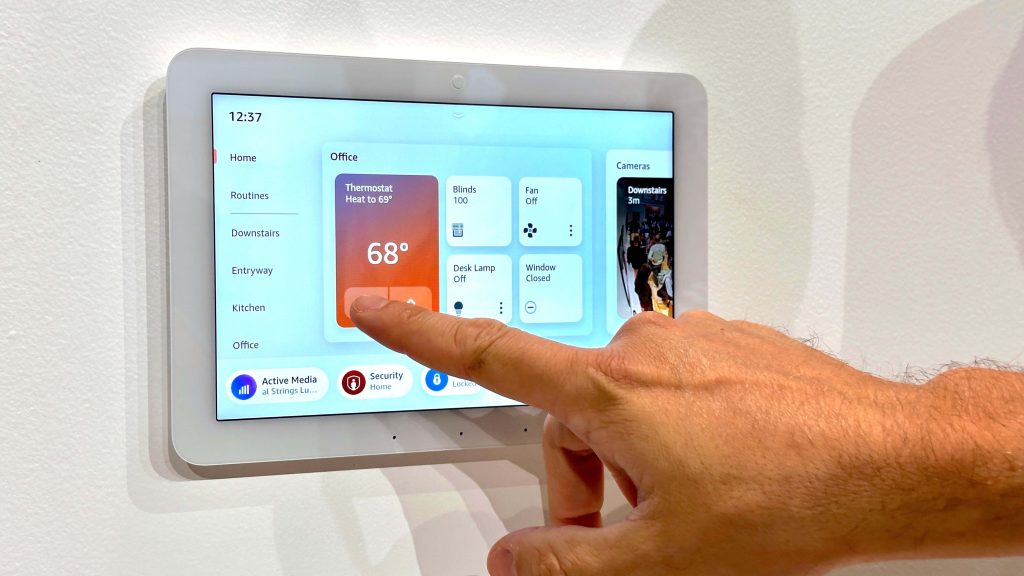
Effective conference room AV systems help businesses create smooth communication and stronger teamwork. These systems bring displays, microphones, speakers, cameras, and controls together in one connected solution. As a result, teams share ideas with confidence and stay focused during discussions. Clear sound helps everyone understand each message, while sharp visuals support presentations and collaboration. Easy controls help meetings begin on time and move forward without interruptions. Furthermore, these systems support training sessions, project reviews, planning meetings, and daily teamwork. Businesses gain better collaboration, faster decisions, and improved productivity.
What Makes a Modern Conference Room AV System Effective?
Modern meeting rooms need more than basic equipment. Successful systems combine reliability, simplicity, flexibility, and strong performance.
Clear Audio Performance
High-quality microphones and speakers capture every voice clearly and reduce background noise during conversations.
Sharp Visual Display
Bright displays help participants view presentations, reports, and shared content with ease.
Simple Controls
Easy controls help employees launch meetings and manage technology without confusion.
Flexible Integration
Modern systems connect smoothly with conferencing platforms, scheduling tools, and workplace technology to support better collaboration.
Different Meeting Rooms Require Different AV Solutions
Every meeting room serves a different purpose. Therefore, businesses should match technology solutions to room size and meeting needs.
| Meeting Room Type | Main Purpose | Recommended AV Focus |
|---|---|---|
| Small Huddle Room | Quick discussions | Compact camera and audio solution |
| Standard Meeting Room | Team collaboration | Balanced sound and video coverage |
| Executive Boardroom | Strategic planning | Premium audio and advanced video |
| Training Room | Learning sessions | Presentation and sharing tools |
| Large Conference Room | Large meetings | Expanded room coverage and controls |
How to Evaluate a Meeting Room Camera Before Purchasing
Choosing the right meeting room camera helps businesses create better meeting experiences. Before making a decision, consider these important points:
- Check image quality to ensure every participant appears clear and professional.
- Review camera coverage to confirm it captures everyone within the room.
- Examine speaker-tracking features that keep attention on active participants.
- Verify compatibility with conferencing platforms and existing meeting room technology.
A careful review helps businesses choose a solution that supports communication goals for many years.
Future Trends Shaping Conference Room Technology
Conference room technology keeps advancing because workplaces adopt modern work methods, which require new operational approaches. Smart automation now helps teams launch meetings with fewer steps. The camera systems actively track speakers while they simultaneously maintain visual contact with all audience members. Employees can easily share their content through wireless connections which link their multiple devices together. Room booking tools help organisations manage meeting spaces more efficiently.
Organisations search for conference room AV systems which will support their expanding business requirements through scalable solution options. The upgraded facilities offer workplaces better collaboration spaces, which improve teamwork results and staff efficiency, and create better communication systems between different sites.
Questions Decision-Makers Should Ask Before Upgrading
Before choosing new meeting room technology, decision-makers should examine business needs carefully and identify solutions that support future growth.
Does the System Support Hybrid Work?
A strong solution should help remote and office-based participants communicate clearly and contribute equally throughout meetings.
Can Employees Use the System Easily?
Technology should remove barriers and simplify communication instead of creating extra challenges.
Will the System Grow with the Business?
Scalable solutions help organisations adapt to future growth without replacing entire meeting room environments.
Does It Integrate with Existing Tools?
Successful systems should connect smoothly with current communication platforms and workplace technology.
Conclusion
Poor sound and blurry video can quietly drain time, slow work, and weaken teamwork. Missed information, delayed decisions, frustrated employees, and poor collaboration often begin with communication problems inside the meeting room. Therefore, organisations should view meeting technology as an important investment rather than a simple expense. Modern solutions help teams connect, share ideas, and work together more effectively.
By upgrading meeting spaces with reliable technology, businesses create a stronger path for future success. Votigo Systems helps organisations create meeting spaces that support clear communication, stronger collaboration, and long-lasting workplace efficiency.