


What Makes a Good Video Wall Solution for Mission-Critical Operations?
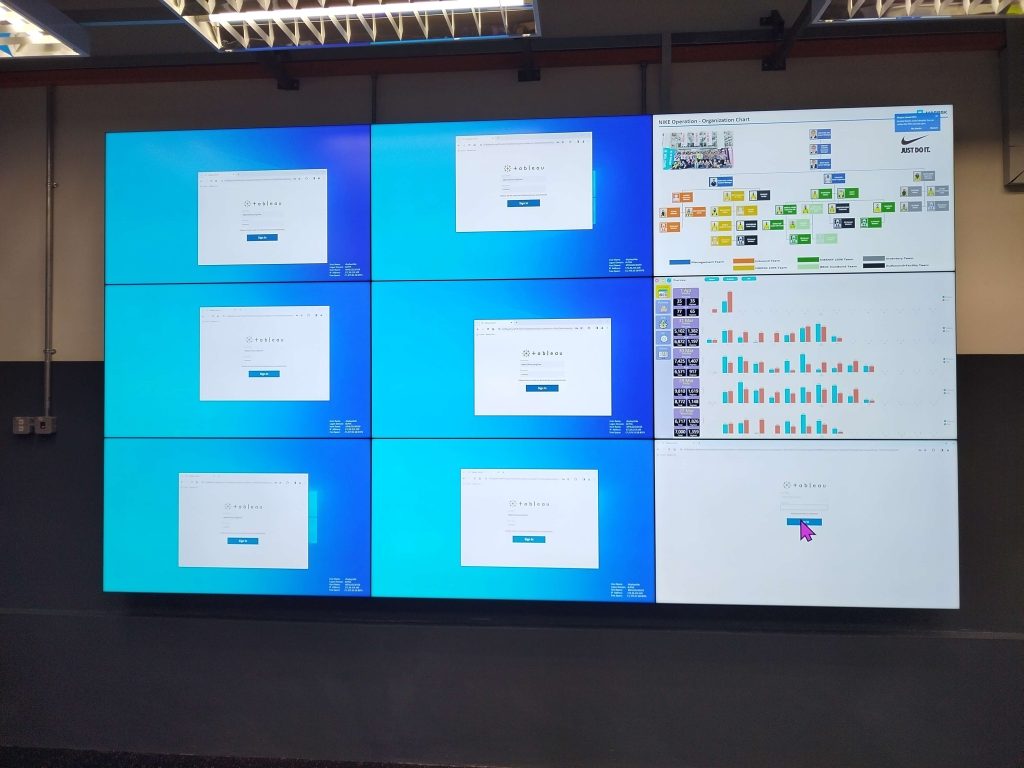
In rooms where quick choices guide big actions, every screen matters. These spaces called control rooms need tools that never stall, never blur, and never fail when it counts. Teams in these places monitor, decide, and act fast.
A strong video wall solution helps everyone see more, faster. It pulls together live feeds, alerts, maps, and updates, placing them in one huge, clear view. When built right, the wall doesn’t just display it leads the team toward better results.
These systems do more than show pictures. They anchor calmly under pressure. When stress rises, the wall centres the team, helping them focus on what matters most.
When used well, these walls act like extra eyes always open, always alert.
Why Control Rooms Depend on Video Wall Displays?
Control rooms steer big systems. Some follow traffic, others watch power, while many handle safety. These places need fast eyes and faster minds.
A good video wall display lets workers scan everything at once. It shows maps, live cameras, data charts, and alerts all at the same time. Teams count on these screens to react in seconds, not minutes.
As the day moves, the wall adjusts. If one feed grows urgent, the team can zoom in. When the pressure rises, the wall supports calm, clear moves. Even small shifts on screen can spark large decisions that ripple across the system.
And because these rooms never sleep, the screens must shine through day and night, no matter the load.
Types of Video Wall Displays
Not every wall works the same way. Picking the right type starts with the room’s purpose.
Here are three common types:
- LCD panels – Clear and sharp for nearby views.
- LED walls – Bright and seamless across wide spaces.
- Rear-projection cubes – Built to last long hours with no flicker.
LCDs shine in smaller rooms. LEDs grab attention across wide floors. Rear-projection fits teams that work all day and night.
In some setups, blending two display types works best. This hybrid approach matches brightness, clarity, and space needs without forcing compromise.
Also, some modern systems offer modular displays. These allow changes and upgrades without swapping the entire wall.
What Makes a High-Quality Video Wall Solution?
Not all systems hit the mark. The best video wall solution stays bright, sharp, and steady—even after long hours.
Look for these features:
- Strong visuals – Easy to see from every spot.
- No delay or glitch – Always stays on, always responds.
- Fast control – Teams can shift views quickly.
Also, size and setup matter. A wall that’s too small or too high won’t serve well. Quality goes beyond the screen—it lives in the way it works, day after day.
The system should feel natural to the user. If it confuses or stalls during a busy moment, it weakens trust. Great video walls almost disappear into the workflow—they support, not distract.
They must also support different input types and adapt quickly as new devices come into use.
Video Wall Processing and Control Systems?
Behind every wall, smart tools manage what you see. These parts gather content, shape it, and send it to the right spots.
Control systems let teams:
- Resize windows
- Swap layouts
- Zoom in or drag views
- Flip between camera angles
Good systems do more than show—they think. When an alert rings, the wall can switch to the right view. Without this control, even the best screen falls short.
Some even schedule views for different shifts or tasks. This way, the wall changes automatically, keeping pace with the team’s rhythm.
Control software should also allow easy remote access in secure ways. This helps during times when fewer people can work onsite.
Designing a Video Wall for a Control Room
Before buying, plan smart. Good walls fit the room and the people inside it.
Think about:
- How far people sit – Content should be clear from every chair.
- Lighting – The screen must shine even in bright spaces.
- Zones – Group the wall by need: data, video, maps.
Add-ons can help. A small touch screen gives fast control. Good airflow and cable setups stop tech from overheating or tangling.
Teams should also consider furniture layout. Desks, chairs, and screens should all align to keep necks straight, eyes focused, and comfort high.
If more teams share the room, design the wall with different view angles and user roles in mind. When you build with care, the wall becomes a partner—not just a screen.
Common Mistakes When Choosing a Video Wall Display
Some people rush. Others make guesses. A few pick the flashiest choice instead of the best one.
Avoid these slips:
- Wrong match – Don’t pair a screen type with the wrong room.
- Skipping layout checks – Measure first, then decide.
- Choosing weak gear – Cheap parts wear out quickly.
Also, many forget service. What happens when something breaks? Always choose a path with strong backup and fast help.
Rushing leads to rework. But careful planning leads to a wall that supports you for years. And don’t overlook testing. Try small setups first to see what fits before you scale.
Why Malaysian Businesses Are Upgrading Now?
In Malaysia, more control rooms are built each year. Why? Because systems grow, data flows, and needs change fast.
Firms upgrade because:
- New tech tools spread faster
- Fast thinking needs better views
- Old systems slow teams down
With more remote data and sensor feeds coming in, teams need displays that gather everything in one place. A clear wall cuts down time wasted on switching screens or toggling tabs.
Also, better visual tools raise worker confidence. When you see clearly, you move quickly—and with purpose.
As a result, many swap old displays for fresh, strong setups. They choose walls that think quicker, work longer, and fit their team’s flow.
Cost Factors for Video Wall Solutions
Price depends on many factors. Knowing them helps teams plan smart.
What shapes cost?
- Wall size – Bigger screens cost more.
- Work hours – 24/7 use means stronger parts.
- Control tools – More features add value.
- Setup needs – Complex layouts raise labour time.
Here’s a table for quick comparison:
| Factor | Impact on Cost |
|---|---|
| Display size | Larger size costs more |
| Usage time | Non-stop use needs tough gear |
| Control system quality | Smarter tools cost more |
| Setup complexity | Custom work needs extra care |
Why Work with Votigo Systems?
No system builds itself. Smart teams call on experts to plan, place, and power up their tools.
Votigo Systems offers:
- Site checks – To size, map, and test the setup
- Smart pairing – To match the wall type with the task
- Support plans – To fix things fast when needed
With help, firms dodge mistakes. They save time, avoid confusion, and get a system that works on day one.
Even the best tools shine brighter when installed with care. And even better? You get a team that sticks around after setup ends.
Conclusion
Control rooms demand clear views, fast moves, and smart tools. A video wall display offers all three when designed well.
The best video wall solution ties display, control, and layout into one tight package. It doesn’t just show things. It helps teams lead. When built with care, a video wall supports safety, speed, and steady hands. It keeps the team ready no matter what happens next.
In the end, it’s not just about screens. It’s about how clearly your team sees the path forward. A well-planned video wall doesn’t just support operations it powers decisions.